!PRO TIP Use this for a patient that has moved, is deceased, or is no longer active.
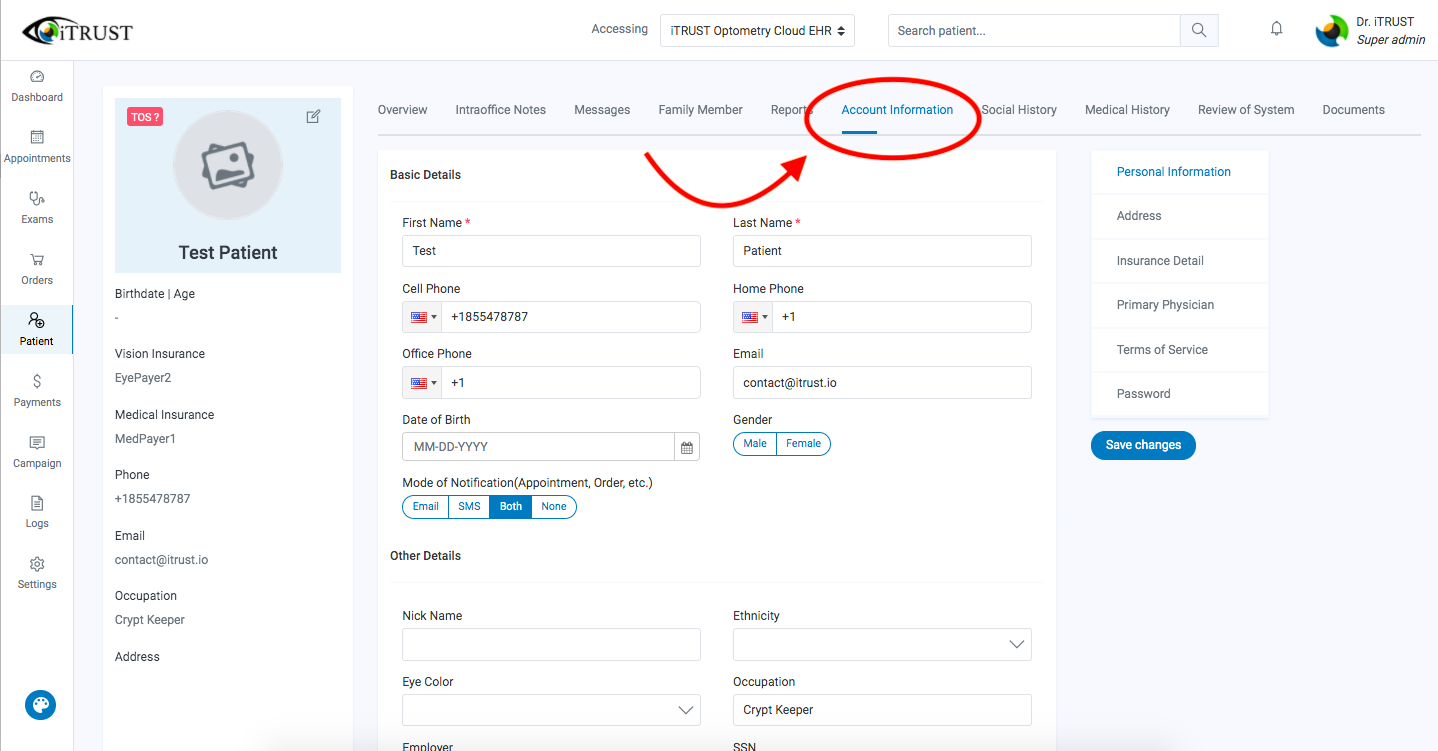
*1. Open the desired patient profile and select the Account Information tab.
![]()
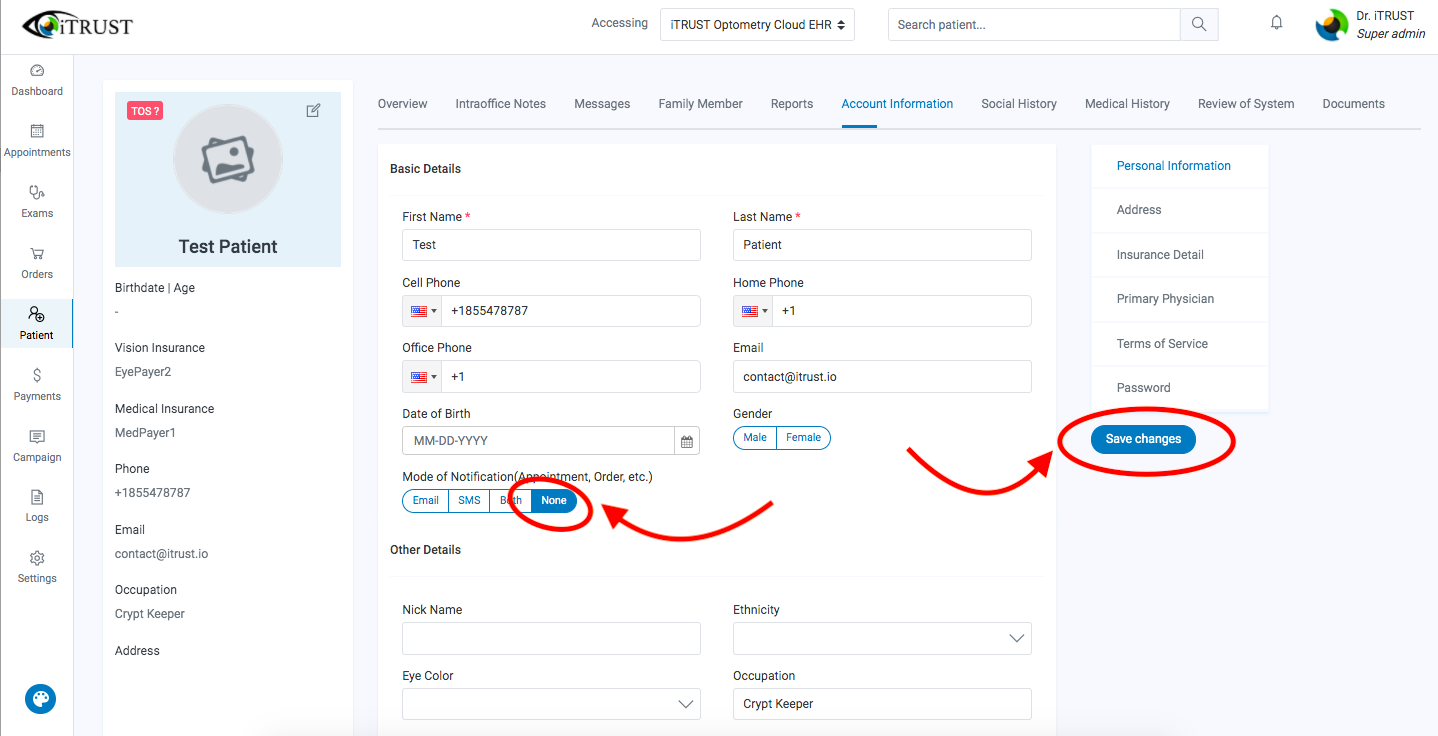
*2. Under Mode of Notification, select None for Appointment, Order, and any other applicable notifications, then click Save.
![]()
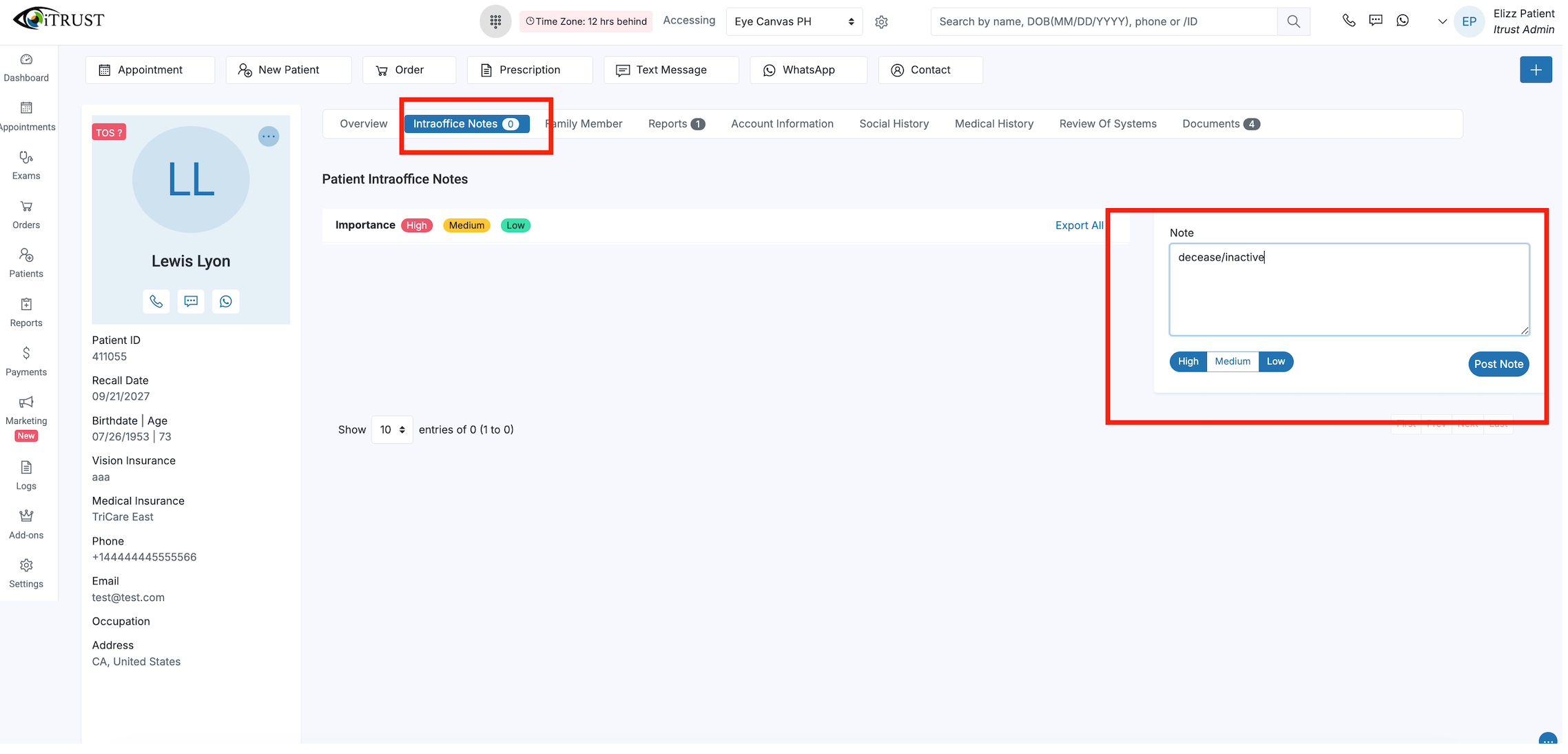
*3. Select the Intraoffice Notes tab on the patient profile.
![]()
*4. In the Note field, enter deceased/inactive.
*5. Select High importance and click Post Note.
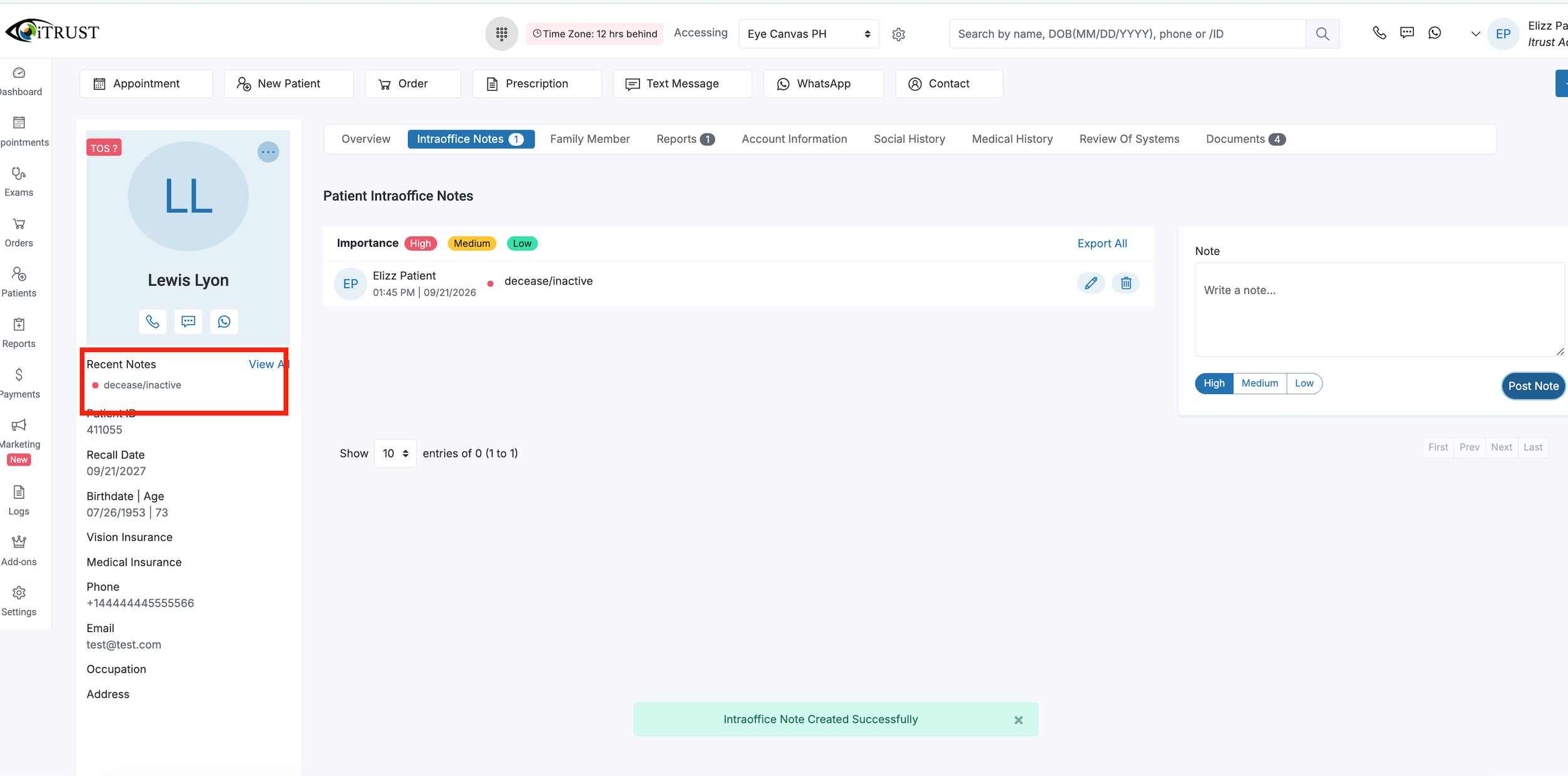
*6. Once posted, the note will appear under Intraoffice Notes and in the Recent Notes section of the patient profile.
![]()



Post your comment on this topic.